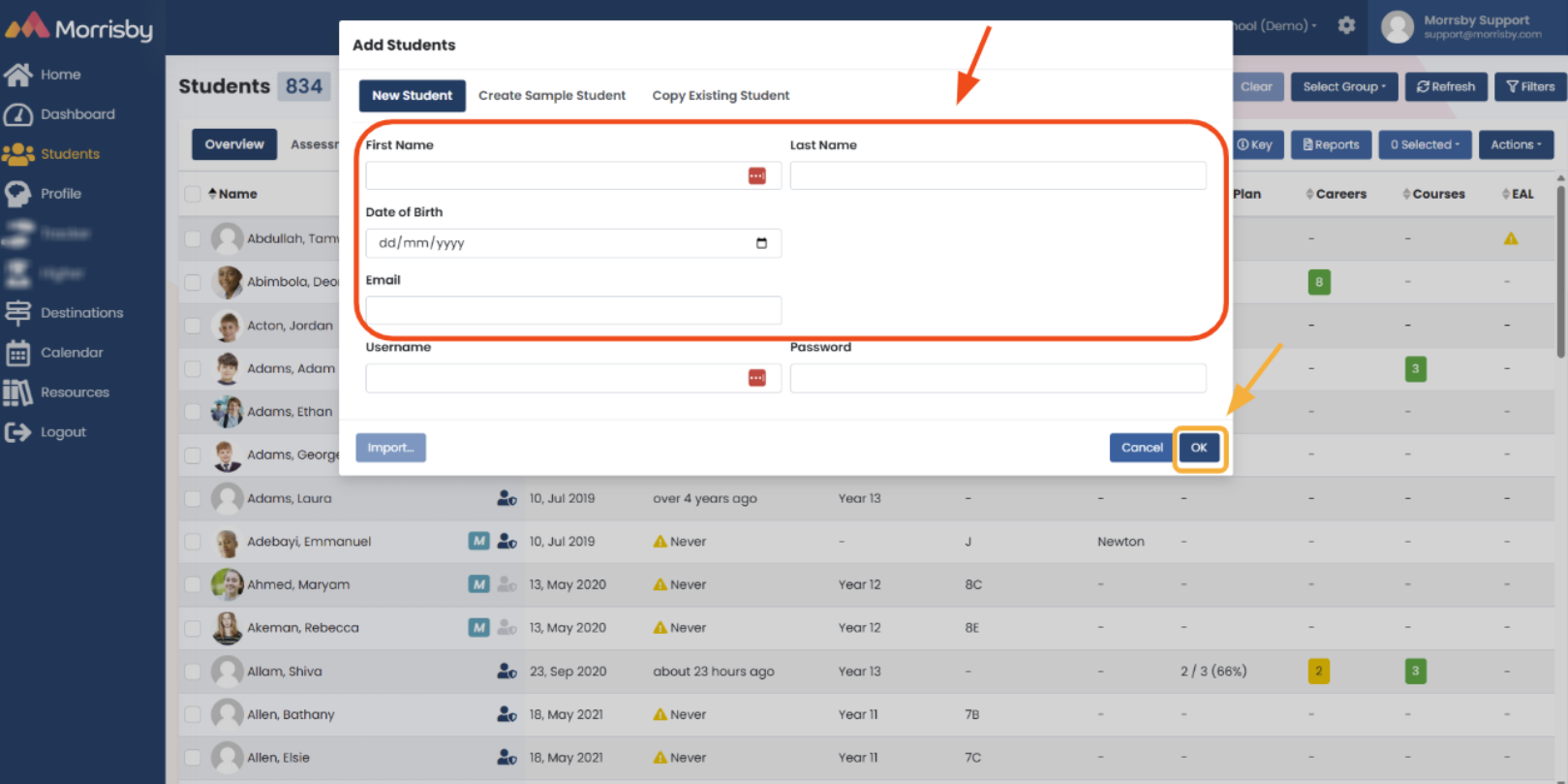
You can manually add new students to your centre individually by following the steps below:
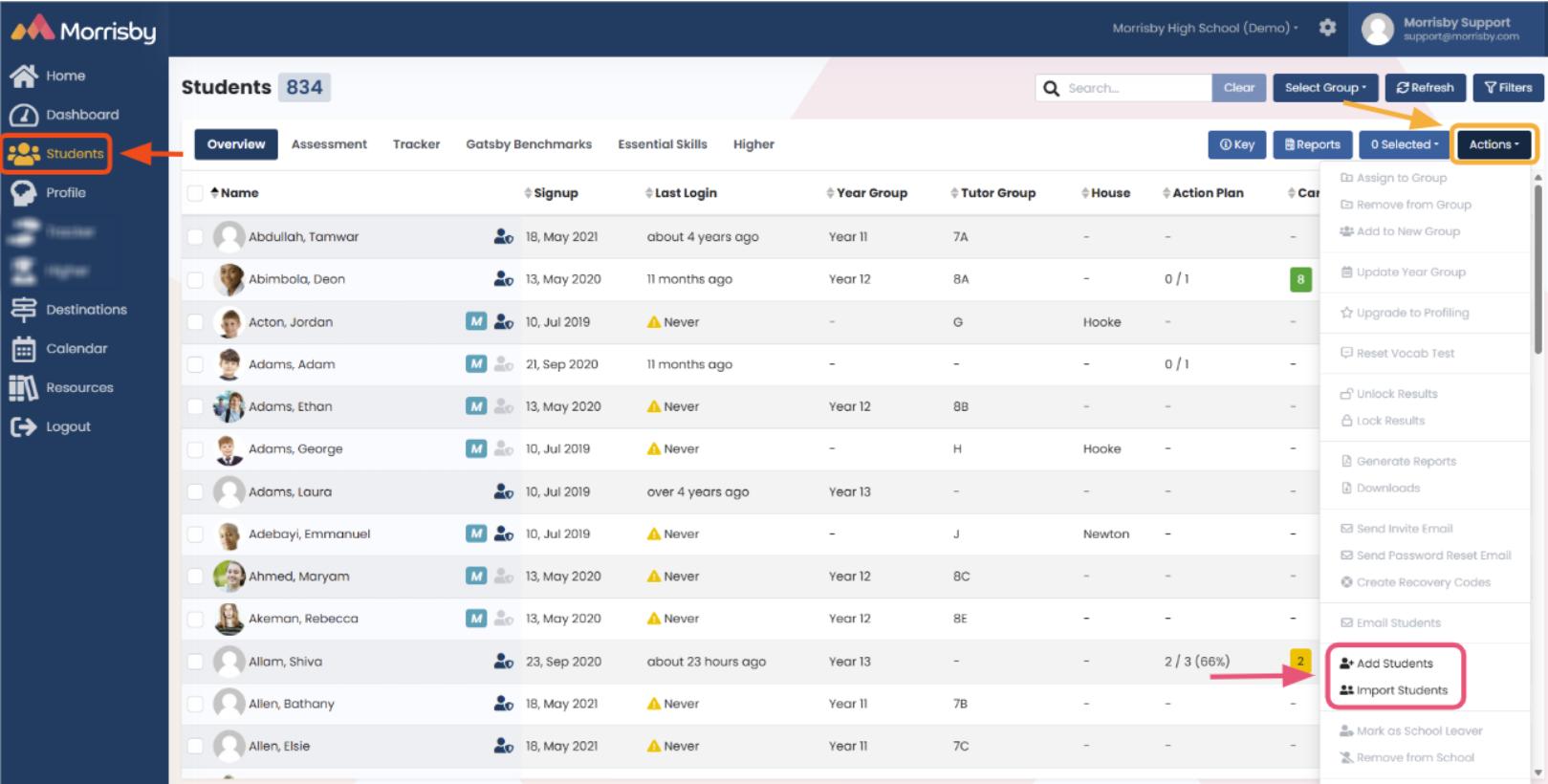
- Log in to your Morrisby account
- Click on the student tab on the left-hand side
- Select the 'Actions' tab on the right-hand side
- Click 'Add Students'
- You will need to add the student's first/last name, date of birth and school email (these fields are mandatory)